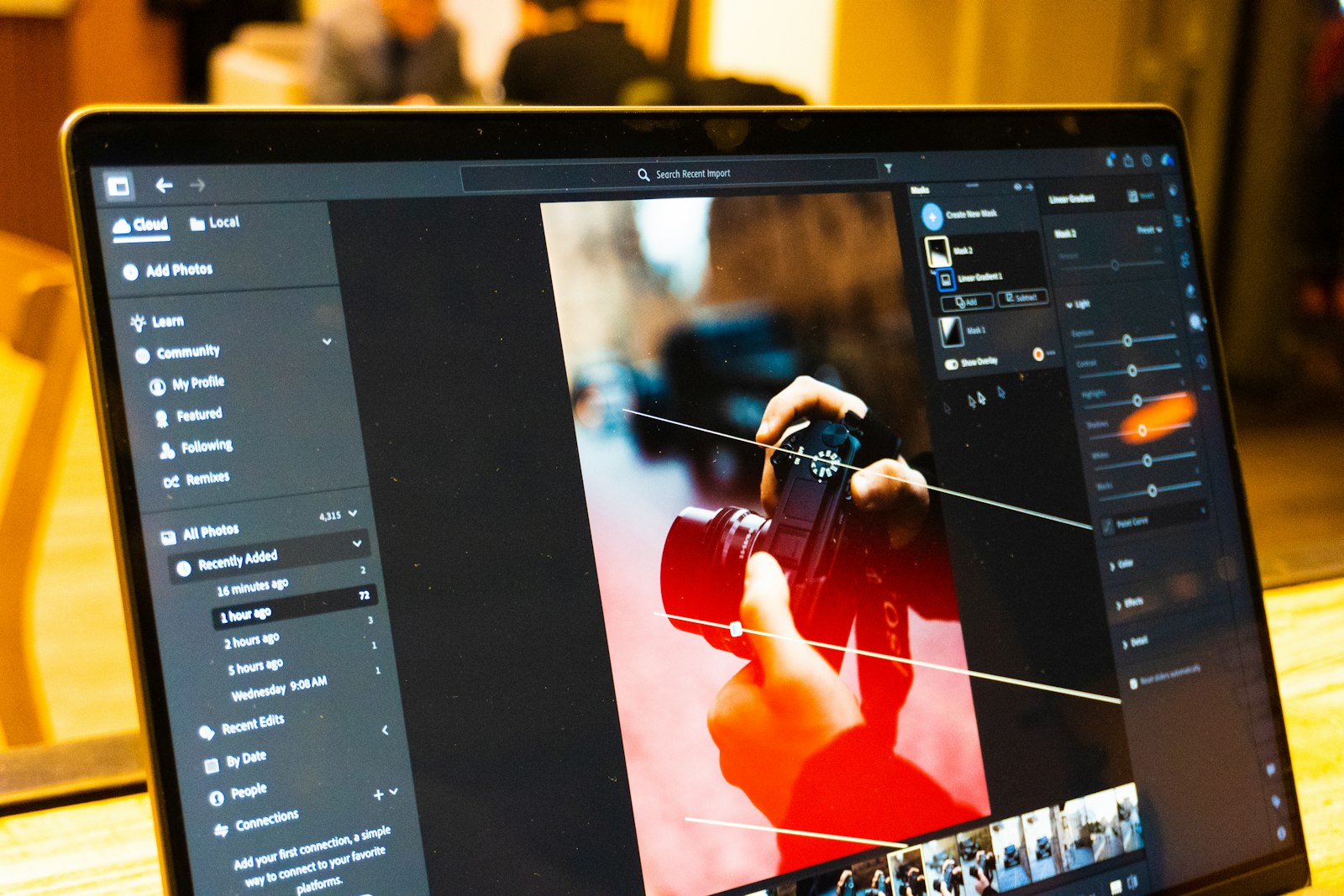
Cropping and Light Editing That Keeps Photos Honest

6 min read0 comments
Most photos arrive in a post almost right. The horizon leans a little, there is a bin at the edge of the frame, the room looks greyer than it felt. None of this is a disaster, and none of it needs a complicated editing app. A few minutes of cropping and light correction can turn an almost-right picture into one that quietly does its job.
This note is about that small, careful kind of editing: the crop, the straighten, the gentle nudge to brightness and colour. It is not about filters, retouching or making a picture look like something it was not. Think of it as tidying, not redecorating.
Crop for the story, not the frame
The camera captured a rectangle. Your story probably lives in only part of it. Before you touch any slider, ask one question: what is this picture in the post to show? A bowl of soup, a doorway, two hands working clay. Then crop until that thing is clearly the subject.
A few habits help:
- Cut what competes, keep what explains. A stray elbow or a half-visible sign pulls the eye away. A glimpse of the street outside a café window, on the other hand, may tell readers where they are. Keep context that earns its place.
- Leave a little air. Cropping tight to the edges of a subject can make it feel trapped. A margin around a person or object lets it breathe, especially in the direction they are facing or moving.
- Watch the edges. Run your eye around the border of the frame. Cutting someone off at the wrist or ankle tends to look accidental; cutting at the mid-forearm or mid-shin looks chosen.
It also helps to think about shape. If a post mixes both, that variety is welcome, and our note on sequencing images has more on using it to build rhythm.
Straighten what should be straight
A tilted horizon is one of those things readers notice without knowing they noticed it. The picture just feels slightly off, as if the table is about to slide. Straightening takes seconds and changes how settled an image feels.
Look for a line that you know is level or upright in real life: the sea, a shelf, the edge of a building, a window frame. Rotate until it sits true. With buildings, vertical lines often lean inwards when you tilt the camera up; many editors have a perspective or “upright” tool that can ease this, used gently.
Not every tilt is a mistake. A deliberately angled shot of a child running or a crowded market can carry energy. The test is whether the angle looks intended. If you have to explain it, straighten it.
Gentle fixes for light and colour
Once the frame is right, look at the light. Most phone and camera photos need very little, but a small adjustment can bring a picture closer to how the moment actually felt.
Exposure and contrast
If a picture is too dark, lift the exposure or brightness a touch, then check that bright areas such as skies and white walls have not turned into flat, blank patches. If shadows look muddy, a small lift to the shadows often works better than brightening everything. A little added contrast can make a flat, overcast photo feel more alive; too much makes it harsh.
White balance
Indoor light often makes photos too orange, and shade or cloudy days can make them too blue. Adjusting white balance, sometimes called temperature, is the most useful colour fix there is. Find something that should be neutral, like a white plate or a grey wall, and adjust until it looks neutral. Everything else usually falls into place.
Saturation, lightly
It is tempting to turn colours up. Resist most of that temptation. Over-saturated food looks plastic and over-saturated skin looks sunburnt. If you want more richness, try a small step and then compare with the original. If you hesitate over which one looks better, go with the quieter version.
A good habit for all of these: make your changes, step away for a minute, then look again.
Keep your edits honest
Readers come to a visual story trusting that the pictures show something that happened. Light editing respects that trust. Heavy editing can quietly break it.
A useful line to hold: correct what the camera got wrong, but do not change what was there. Fixing a colour cast, a crooked horizon or a dark interior brings the photo closer to reality. Removing a person from a scene, swapping in a better sky, or making a room look bigger than it is takes the photo further away.
Some kinds of posts deserve extra care. If you are reviewing a place, showing a recipe result or documenting an event, readers may make real decisions based on your pictures. Our community guidelines are a good reminder of the spirit we hope every PicaLook writer brings to their work.
If you do make a bigger change for creative reasons, such as converting to black and white or combining two exposures, it is kind to say so in the caption or the text. Readers rarely mind an edit; they mind discovering one they were not told about.
Make the whole post look like one story
Each picture can be well edited on its own and still look odd in a row. One photo is warm, the next is cool, a third is much brighter than its neighbours.
Consistency does not mean every photo must look the same. It means they look as if they belong together. A few ways to get there:
- Edit the post as a set. Open all the photos together and compare them side by side before you finalise any single one.
- Pick a reference image. Choose the photo whose light and colour you like best, often the cover, and bring the others towards it rather than editing each in isolation.
- Reuse your settings. If your editor lets you copy adjustments from one photo to another, start from the same base and fine-tune from there.
- Keep crops in the same family. A post that switches between many different shapes can feel restless. Choosing two or three proportions and sticking to them gives a calmer page.
The cover deserves a final look once everything else is done. It sets the tone for the whole post, so it should feel like part of the set, not a stranger. Our note on choosing a cover image covers what else that first picture needs to do.
A quick routine before you publish
When you are ready to add photos to a post, this short routine catches most problems:
- Crop each image so its subject is clear and the edges look chosen.
- Straighten horizons and upright lines unless the tilt is deliberate.
- Fix exposure and white balance first, then contrast, then colour, in small steps.
- Compare the whole set side by side and even out any jumps.
- Ask once more: does each photo still show what was really there?
None of this takes long, and none of it needs expensive software. The tools built into most phones are more than enough. If you are curious about how photos sit on a PicaLook page, the features page shows what every blog includes, and the help centre answers the common questions. Then go and tidy one picture. You may be surprised how much a straight horizon can do.

Comments 0
No comments yet. Be the first to share a thought on this story.
Leave a comment
Comments are reviewed before they appear.